Run this before every install, including updates. It takes under a minute and catches the overwhelming majority of bad files.
Need another section? Start with the Delta Executor homepage, use the Delta Executor download hub for platform files and setup routes, read the Delta Executor key guide, or browse the Delta Executor scripts library.
Before Downloading
- [ ] The page lists a file size.
- [ ] No payment is requested for the free version.
- [ ] No second app is required first.
- [ ] The download does not open multiple pop under windows.
- [ ] The page does not promise a ban proof or permanently undetected build.
- [ ] The version number is not wildly ahead of what is announced elsewhere.
A page with no stated file size fails this section on its own. You cannot run the most useful check without it.
After Downloading, Before Installing
- [ ] File size roughly matches the stated size, around 150 MB.
- [ ] File extension is
.apkfor Android or.ipafor iOS. - [ ] It is not inside a password protected archive.
- [ ] It is not an
.exeoffered for a mobile platform. - [ ] You did not have to disable your antivirus to get this far.
A password protected archive fails immediately. There is no legitimate reason for one.
During Installation
- [ ] Only one app is installing.
- [ ] No browser extension or homepage change is offered.
- [ ] No cleaner, booster or security app is suggested.
- [ ] No web page opens by itself.
Cancel if a second app appears. There is no version of this that needs a companion app.
After Installation
- [ ] Permissions show only storage and display over other apps.
- [ ] No accessibility services request.
- [ ] No device administrator request.
- [ ] No SMS, contacts, camera or microphone request.
- [ ] No unfamiliar new app in your app list.
- [ ] No notifications from apps you did not install.
Check accessibility separately under Settings, Accessibility. It does not always appear in the standard permission list, which is exactly why it gets used.
Ongoing
- [ ] You never enter your Roblox password inside the app or any script hub.
- [ ] You never share your .ROBLOSECURITY cookie with anything.
- [ ] Two step verification is enabled on your Roblox account.
- [ ] You are using a secondary account for scripting.
- [ ] You re-run this checklist on every update.
Scoring
| Failures | Action |
|---|---|
| None | Proceed with normal caution |
| One minor | Investigate before continuing |
| Two or more | Delete the file |
| Any accessibility or device admin request | Uninstall and change passwords now |
No download is urgent enough to skip this. If a page pressures you to hurry, that pressure is itself a warning sign.
Frequently Asked Questions
Do I need to do this for updates too? Yes. An update is a new file from a page that may have changed hands since last time.
What if I already installed without checking? Run the post installation section now. Permissions can be checked at any point.
How long does this actually take? Under a minute once you know where the settings are.
Is there a tool that does this automatically? No, and be sceptical of anything claiming to be one. The checks are manual and that is fine.
Related reading
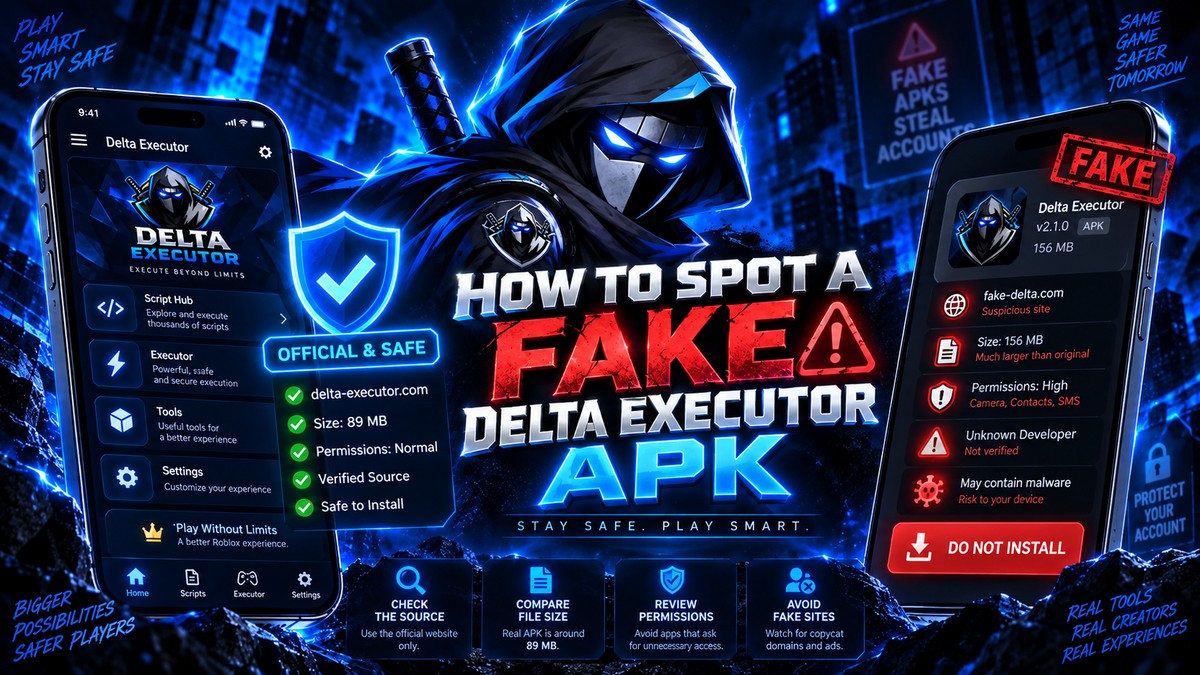
How To Spot A Fake Delta Executor APK
Five checks that tell you whether a Delta Executor download is genuine or repackaged, including file size, permissions and installer behaviour.
Read more
Delta Executor Permissions Explained In Full
Every permission Delta Executor should and should not request on Android, and which ones mean the file has been tampered with.
Read more
Why Antivirus Flags Delta Executor
Why security software marks Delta Executor as a threat, how to tell a false positive from a real one, and safer options than disabling protection.
Read more